

Ever opened a server room and felt like you walked into a jungle of tangled cables? You’re not alone. Businesses of all sizes wrestle with messy wiring, slow troubleshooting, and inconsistent connectivity. But here’s the thing: it doesn’t have to be that way. The unsung hero behind neat, efficient, and scalable networks is something most people overlook—the patch panel.
In this guide, we’ll break down exactly what a patch panel is, why it matters, and how it makes your life easier whether you’re managing a small office setup or a growing enterprise network.
What Is a Patch Panel?
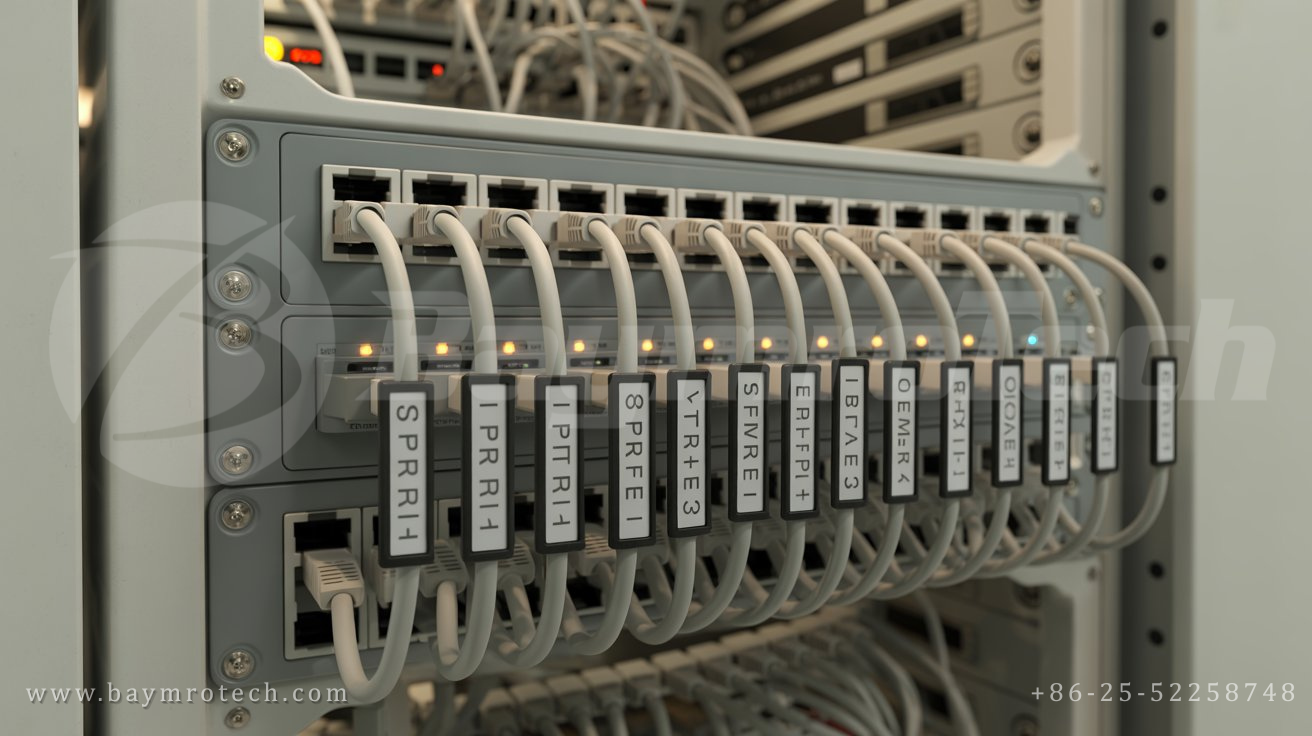
Think of a patch panel as the backbone of your wired network. It’s a flat, rack-mounted hardware unit that houses multiple cable connections in one central place. These connections can be for Ethernet cables, fiber optic cables, or even audio-visual wiring.
Instead of plugging cables directly into your switch or router (which can quickly spiral into chaos), cables terminate into the ports of a patch panel. From there, shorter patch cords connect equipment in a clean, organized way.
In simpler terms:
- A patch panel is like a city’s transport hub.
- The cables are the “streets,” and the patch cords act as “shortcuts” between key areas.
- Everything flows smoothly because there’s order instead of confusion.
Why Patch Panels Are Essential for Network Management
A network without a patch panel is like a kitchen without cabinets—possible to manage, but unnecessarily messy and frustrating. Here’s why patch panels matter.
1. They Keep Cables Organized
No more bundles of tangled cords resembling spaghetti. With a patch panel, you can neatly label connections and quickly identify which cable goes where. This saves you time and headaches when troubleshooting.
2. They Simplify Troubleshooting
Let’s say half your office loses internet access. Without a patch panel, you may spend hours tracing cables back to the source. With a patch panel, every connection is clearly mapped. You can test, replace, or reroute connections in minutes.
3. They Improve Scalability
As your business grows, so does your network. Adding new devices without a patch panel is like stacking books on an already overcrowded shelf. With a patch panel, expansions are seamless—you simply patch in new connections without disrupting the system.
4. They Protect Critical Hardware
Constantly plugging and unplugging cables directly into your switch wears it down. Patch panels act as a buffer, taking the wear while keeping your expensive gear safe.
5. They Look Professional
First impressions count—especially if clients, partners, or auditors see your server room. A patch panel keeps things tidy and shows that your network is managed responsibly.
Different Types of Patch Panels
Not all patch panels are created equal. Choosing the right one depends on your infrastructure and future needs.
Copper Patch Panels
These use RJ-45 connectors and are designed for Ethernet cabling (like Cat5e, Cat6, or Cat6a). They’re a great fit for offices and environments where standard LAN connections dominate.
Fiber Optic Patch Panels
When high-speed data and long-distance transmission are required—think data centers or ISP networks—a Fiber Optic Patch Panel is the gold standard. They support blazing-fast connections, flexibility, and reliability where it matters most.
Modular Patch Panels
Want flexibility? Modular designs let you mix and match different connectors (copper, fiber, coaxial). They’re excellent for environments with diverse cabling needs.
Real-World Benefits: A Quick Story
One of our clients, a mid-sized tech startup, was struggling with frequent downtime. Every time a new team member joined, their IT guy had to add another workstation—and chaos followed. Cables stretched across racks, and nobody knew which cord connected to what. After implementing patch panels, downtime dropped, troubleshooting time cut in half, and their network team finally stopped pulling their hair out.
The moral? Sometimes the simplest infrastructure changes solve the biggest headaches.
How to Use Patch Panels Effectively
It’s not enough to just install a patch panel—you need best practices to get the most out of it:
- Label everything. Each port should correspond to a device, floor, or area. Clear labeling = faster fixes.
- Plan for growth. Install a panel with more ports than you immediately need. You’ll thank yourself later.
- Invest in quality cables. Cheap cables negate the benefits of a patch panel. Go with tested and certified cabling.
- Maintain proper airflow. Don’t let cables block ventilation in your racks. Neat routing ensures cool hardware and longer life.
Authoritative Perspectives and Insights
According to Network Computing, poor cabling infrastructure accounts for up to 70% of network downtime in businesses. Another study from Cabling Installation & Maintenance highlights that organizations with structured cabling solutions (which include patch panels) reduce troubleshooting time by over 50%.
These stats make one thing crystal clear: patch panels don’t just tidy up your server room; they save you real time and money.
Internal Resources You’ll Find Useful
- Looking to improve your cabling setup? Check out our guide on structured cabling solutions for practical tips.
- Want to understand how patch panels integrate with larger systems? Our network installation services overview breaks it all down for you.
Final Thoughts
So, what is a patch panel? It’s more than just a metal box with ports. It’s the secret ingredient that keeps networks running smoothly—organized, reliable, and scalable. Whether you choose copper, modular, or a Fiber Optic Patch Panel, this small piece of hardware makes a huge impact.
If you’re tired of messy racks and endless troubleshooting, a well-implemented patch panel setup might be your next best move.
Ready to take control of your network? Explore more of our resources at Baymrotech Electric, or reach out to our team for expert guidance tailored to your setup.