

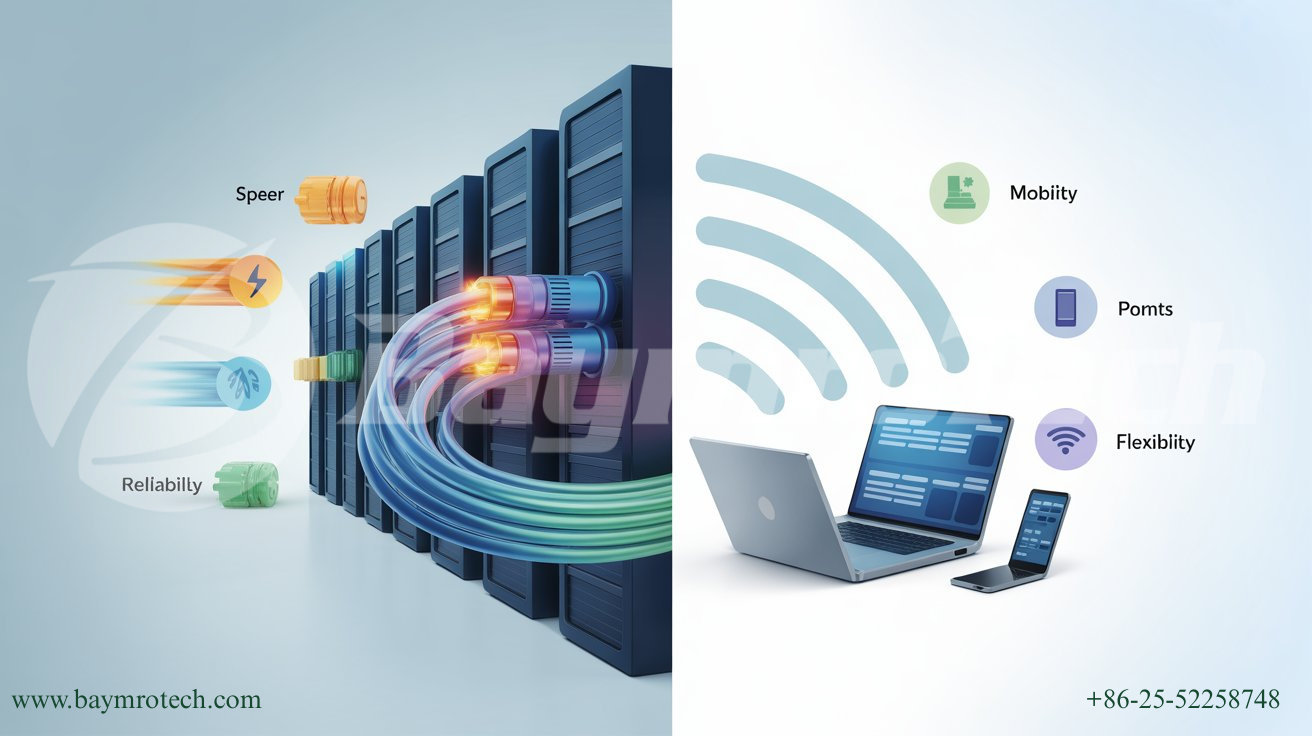
Fiber optics offer unmatched speed, reliability, and long-distance transmission for enterprise networks, but wireless provides flexibility and lower upfront costs for certain scenarios. The best solution depends on your organization’s specific needs, but understanding the strengths and weaknesses of both technologies will help you make a more informed decision.
The High-Stakes Game: Your Network’s Backbone
Ever wondered why your business video call glitches right when you’re pitching to a client? Or why cloud backups crawl at a snail’s pace after 3 PM? The truth is, enterprise networks are the digital arteries of modern operations, and choosing the right technology isn’t just about faster speeds—it’s about keeping your business competitive and stress-free. In this post, we’ll cut through the hype and dissect the pros and cons of fiber optics and wireless networks, so you can pick the backbone best suited for your enterprise.
Why the Debate? The Everyday Pain Points
If you’re leading IT in a growing company, you probably spend more time worrying about slow file transfers or unreliable connections than you’d like. Fiber optics promise breakneck speeds, but can feel expensive up front. Wireless networks offer flexibility, but may induce headaches during peak hours. Let’s clear up the confusion—so you can stop troubleshooting and start scaling.
Fiber Optics: Where Speed Meets Reliability
Fiber optics transmit data as pulses of light through strands of glass, literally at the speed of light. When it comes to pure speed, nothing beats fiber.
- Unmatched Speed: Fiber optics can deliver up to 100 Gbps or higher, perfect for heavy-hitting tasks like video conferencing, large file transfers, and cloud-based workloads.
- Rock-Solid Reliability: Unlike wireless, fiber signals aren’t affected by electromagnetic interference. Harsh weather or nearby electronics won’t tank your connection.
- Consistent Bandwidth: Fiber connections don’t slow down when more users log in. You won’t experience the bandwidth bottlenecks that are common in WiFi.
- Long-Distance Power: Signals stay strong across vast distances—up to 100 km for single-mode fiber—making fiber perfect for carrier networks and sprawling campuses.
Fiber’s Downsides
- Costly Initial Setup: Installing fiber means permits, specialized tools, endpoints, and sometimes, rewiring. The upfront costs can scare your CFO.
- Physical Vulnerability: Skinny cables are easier to break during renovations or by accident. Damage can affect productivity team-wide.
Wireless Networks: Flexible and Sometimes Frustrating
Wireless networks use radio waves to transmit data. Flexibility is their calling card.
- Easy Installation: No digging or cable running—set up your access points and go. Perfect for smaller offices, temporary setups, or locations hard to wire.
- Lower Cost: For lean teams or those in rental spaces, wireless has a clear cost advantage on day one.
- Mobility: Employees can move freely, access hot spots, and bring personal devices into the network fold.
Wireless Weaknesses
- Speed Fluctuations: Shared bandwidth means the more people online, the slower things get—especially during peak hours.
- Signal Degradation: Move too far from the router and your speeds drop. Walls, distance, and interference all play villain roles.
- Security Challenges: Wireless is more prone to hacking and unauthorized access unless robust security protocols and authentication methods are used.
Real World Example: Making the Call
Let’s say you’re opening a new branch office and debating between fiber and wireless. If your team depends on high-speed file transfers, real-time collaboration, and minimal downtime, fiber will be your best bet. If your operations involve mobility, flexibility, or fewer devices, wireless may suffice—at least until you scale up.
Keystone Jack Manufacturer: The Unsung Hero
No matter what you choose, quality connectors matter. A reliable keystone jack manufacturer ensures your network hardware—from fiber termination to Ethernet—works seamlessly and fits industry standards. Investing in good connectors (along with solid cable management) keeps your enterprise humming, whether you’re all-in on fiber, partial to wireless, or mixing both for a hybrid setup.
If you’re looking for modular data center solutions, don’t miss our guide on high-density fiber racks and ODF innovations—it’ll future-proof your network and save space. Check it out now at Baymro Technology’s Data Center Solutions page (https://baymrotech.com/data-center).
Which Should You Choose?
Here’s a quick side-by-side overview:
For more on enterprise cabling and modular network design, revisit our post on Structured Cabling Best Practices for Modern Offices (https://baymrotech.com/structured-cabling-best-practices).
Expert Insights and Stats
Gartner found that annual downtime costs mid-sized companies an average of $560,000—mostly due to poor network reliability. Studies show fiber-equipped workplaces report 99.9% uptime, compared to 96% for WiFi-dependent setups. Cisco recommends hybrid networks—combining fiber for backbone speed and wireless for access—when enterprises want both performance and flexibility (source: Cisco Business Blog).
A Human Touch: What’s Best for You?
Choosing between fiber optics and wireless isn’t just about tech specs—it’s about how people use the network, your growth plans, and your unique constraints. Fiber solutions are perfect for core infrastructure; wireless shines for guest access, collaboration zones, or when you need to set up fast.
Feeling uncertain? You’re not alone. Many clients contact our team after a failed upgrade or a productivity hit—they wish they’d invested in the right foundation sooner. We can help you map out a growth-friendly, cost-effective strategy, whether you need keystone jack manufacturer connections, fiber backbone, or custom blended solutions.
Wrapping Up: Let’s Build Your Future-Proof Network
Both fiber and wireless have roles to play in modern enterprise networks. Choose fiber optics for speed, scale, and reliability. Use wireless for convenience and cost efficiency—or combine them for best-in-class performance.
Ready to upgrade your network, or curious about modular fiber solutions? Dive into our Data Center Solutions or contact Baymro Technology’s specialists today to request a personalized assessment. Don’t forget to share your networking challenges in the comments—we love turning real-world problems into smarter enterprise designs.
Explore more:
Further reading: